If you are getting ready to sell in Fremont, your best buyers are likely tech professionals who screen homes online first and expect modern, connected living. You do not need a full renovation to win their attention. With a few smart upgrades and a thoughtful digital presentation, you can make your home stand out and sell with confidence. In this guide, you will learn which improvements matter most, how to showcase them, and what to prepare before you list. Let’s dive in.
What tech buyers want in Fremont
Many buyers in Fremont and the broader Oakland–Hayward–Berkeley corridor work in tech or STEM fields. They value reliable connectivity, clean and flexible workspaces, smart security, energy efficiency, EV readiness, and seamless digital experiences. Industry research shows smart devices are now mainstream, with tens of millions of U.S. households owning at least one device and strong adoption of video doorbells and cameras. That means tech buyers expect a home that feels ready on day one.
Fremont’s price points reward smart prioritization. Focus first on low-cost, high-impact updates that buyers notice both online and at the showing. Then back them up with documentation and clear listing language so a tech-minded buyer can evaluate your home at a glance.
Prioritize fast, reliable connectivity
Strong internet is nonnegotiable. Many buyers run video meetings, upload large files, and connect dozens of devices. If showings reveal weak Wi‑Fi, they will mentally add “projects” or move on.
- Verify providers and speeds at your address. Run a wired and a Wi‑Fi speed test and note typical download and upload performance.
- Publish internet options and speeds in your listing notes. Transparency builds trust with remote and hybrid workers.
- Install a modern mesh Wi‑Fi system if coverage is spotty. Consumer mesh kits typically cost about 250 to 700 dollars for a three‑pack and can stabilize streaming and smart‑home devices. For model guidance, see WIRED’s overview of recommended mesh systems: a practical guide to the best mesh Wi‑Fi routers.
Stage a real home office buyers can picture
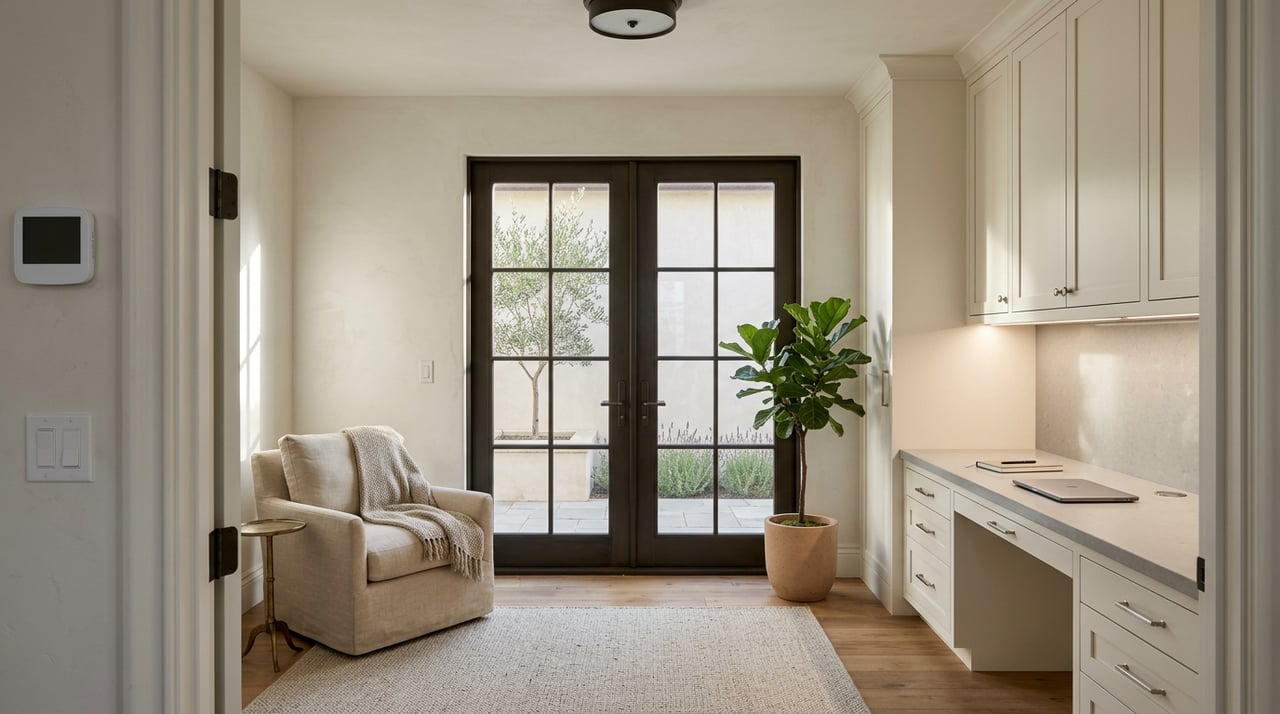
Tech buyers look for a quiet, well‑lit workspace that photographs well and works on video calls. You can create this without a remodel.
- Choose a bright area and anchor it with a clean desk and ergonomic chair.
- Keep the backdrop simple for video calls. Use neutral art and minimal clutter.
- Add task lighting and accessible power. A visible USB‑C outlet or tidy power strip helps.
- Name the space clearly in your listing as a “home office” or “flex office.”
If the home is vacant, virtual staging can help buyers visualize layout and proportions. For tips, review these virtual staging best practices.
Add visible smart security at the entry
A few entry upgrades signal a modern, well‑kept home. Start with a video doorbell and a smart keypad lock, then add a visible camera if appropriate.
- Adoption is broad. Parks Associates reports strong ownership rates for video doorbells and smart cameras among U.S. internet households, so buyers recognize the value. See a summary of adoption data here: smart camera and doorbell ownership highlights.
- Budget a few hundred dollars for devices and installation. Keep boxes, manuals, and login transfer instructions so buyers can take over smoothly.
Install a smart thermostat and basic energy controls
Smart thermostats are inexpensive markers of efficiency and comfort, and many utilities offer rebates. Typical installed costs range roughly from 200 to 450 dollars depending on system complexity. For cost context, see this thermostat installation cost guide.
When you list, name the thermostat model and any connected features. If you have energy‑saving add‑ons like occupancy sensors or smart shades, include them in your spec sheet.
Be EV‑ready with clear permits and placement
EV ownership is common in the Bay Area, and buyers will notice an on‑site Level‑2 charger or clear evidence that one can be installed easily.
- Permits: The City of Fremont requires a building permit for residential EV charging. There is an express path for stand‑alone chargers and a renewable energy permit if a battery or solar is included. Share details in your disclosures and keep copies on hand. Review the city’s guidance here: Fremont EV charging station permits.
- Costs: Many residential installs fall in the 500 to 3,000 dollar range, but panel upgrades and long wire runs can increase the total. See this Level‑2 installation cost overview for the drivers that impact pricing.
- Incentives: Federal and California programs have changed over time. Start with the Tesla incentives page for a summary and check current California Energy Commission windows such as CALeVIP for public or commercial scenarios: CEC CALeVIP funding updates.
If you install a charger before listing, mount it neatly and include the model, amperage, and permit number in your marketing.
Lead with owned solar and backup documentation
Owned solar panels and paired batteries stand out in California. Multiple studies, including research from Lawrence Berkeley National Laboratory, have found measurable premiums for owned systems compared to similar homes without them. You do not need to guess; just document clearly.
- Prepare a simple solar spec sheet that includes ownership status, system size in kW, inverter age, and any battery details, plus warranties and maintenance records.
- If your system is leased or under a PPA, note the transfer steps and contacts.
- Include any liens or UCC filings if the system was financed.
For background on how ownership affects value, see LBNL’s study: Selling Into the Sun.
Make devices play nicely together
Tech buyers want a setup that “just works.” Mention device compatibility and standards support where you can.
- Look for Matter and Thread compatibility on smart locks, thermostats, sensors, and plugs. These standards help different brands connect reliably.
- Keep boxes and manuals to verify support, and list compatibility in your spec sheet.
Industry coverage highlights ongoing improvements in the Matter standard and broader adoption across major platforms. Learn more here: updates on Matter’s expanding device support.
Market your home like a product
Your listing should make a strong first impression on a phone screen. Invest in media that helps buyers understand layout and livability without guessing.
- Professional photography: Crisp, well‑lit images drive clicks and showings. See photography tips that influence buyer attention.
- Interactive floor plan and 3D tour: Tech buyers appreciate the ability to walk through a space virtually and plan desk or equipment placement.
- Short video: A 30 to 90 second walkthrough for YouTube, LinkedIn, and Instagram can reach commuters and relocation buyers.
If the home has a notable tech stack, offer a one‑page “tech spec” PDF that buyers and their contractors can review remotely. Include ISP options and speeds, smart devices, EV details, and solar or battery specs.
Listing copy that speaks to tech buyers
Place the most relevant tech features in the first three lines of your description and in the bullet highlights. Keep the language clear and factual.
- Internet: “Fiber and cable available at address. Recent speed test showed X Mbps down / Y Mbps up.”
- Workspace: “Dedicated home office with natural light and adjacent power/ethernet.”
- Smart features: “Nest thermostat, keypad smart lock, and video doorbell convey.” State if devices are owned and any subscriptions are transferable.
- EV: “Hardwired 48A Level‑2 charger. City of Fremont permit on file.”
- Solar/battery: “Owned 7.2 kW PV with 2021 inverter. Warranties and maintenance records included.”
Use consistent labels in photos, floor plans, and captions so buyers connect features to rooms and systems.
Local rules, incentives, and a fast prep checklist
Before you hit the market in Fremont, organize your paperwork and finish the easy wins.
- Permitting and incentives: Keep EV charger permits handy and reference the Fremont EV permit page in disclosures. For incentive research, start with the CEC CALeVIP page and the Tesla incentives summary to identify programs to discuss with your tax professional.
- Connectivity: Run and save one wired and one Wi‑Fi speed test screenshot.
- Office: Stage one room as a home office or use virtual staging for a vacant home.
- Media: Book professional photography and a 3D tour with an interactive floor plan.
- Smart‑home transfer: List device makes and models, ownership status, and app transfer steps; gather manuals and login instructions.
- Solar/battery: Compile ownership proof, kW size, inverter age, warranties, and any financing or UCC documents.
A simple two‑week plan
- Days 1 to 3: Speed tests, connectivity tune‑up, and home office staging. Order any mesh Wi‑Fi or smart devices.
- Days 4 to 7: Install smart lock, video doorbell, and thermostat. Collect permits and warranties. Draft your one‑page tech spec.
- Days 8 to 10: Schedule photography, 3D tour, and a short video walkthrough.
- Days 11 to 14: Final touch‑ups, tighten listing copy, and verify all tech features are working for showings.
Ready to sell smarter in Fremont?
If you want a calm, high‑touch process that maximizes price and minimizes friction, our team can help you prioritize the right upgrades, stage for hybrid work, and present your home with premium Compass marketing. We will prepare your tech spec sheet, coordinate pro media, and position your listing to reach Bay Area professionals quickly and effectively. Start with a conversation and a custom plan for your property.
Request your Free Home Valuation with Sonali Sethna.
FAQs
What are the best budget upgrades for tech buyers in Fremont?
- Start with connectivity, an authentic home office, and visible smart security. Add a smart thermostat and a tidy entry. These low‑cost items improve first impressions online and at showings.
Do I need to install a Level‑2 EV charger before listing?
- Not always. If installation is simple and low cost, a charger is a strong convenience feature. Otherwise, document feasibility and reference the Fremont EV permit process so buyers can act quickly after closing.
How should I handle existing solar or a home battery when selling?
- Create a solar spec sheet with ownership status, system size, inverter age, warranties, and any financing details. Owned systems are easy to present and have shown value premiums in research such as LBNL’s Selling Into the Sun.
Which listing media matter most to tech‑savvy buyers?
- Professional photos are essential. Add an interactive floor plan, a 3D tour, and a short video walkthrough. These tools help remote and busy buyers understand layout, light, and workspace options.
How do I highlight internet speed and reliability in my listing?
- Run one wired and one Wi‑Fi speed test and note both in your description. List available providers at your address and mention any recent network upgrades, mesh coverage, or wired ethernet points in the home office.